Great American Manhunt Airdates

After months of wondering , I’ve finally discovered when my show is going to air.

OK, it isn’t really “my show,” but I was their main location sound mixer for the entire first season. That’s a big deal for me, since most of my work involves someone coming into town, working for a day or two, and flying out, never to be seen again. I do have a handful of clients who come back repeatedly, and that’s always nice. But this block of work for Wide-Eyed Productions in London was different, since they shot over an eight-week period last summer. A studio was built here in Chattanooga in a medical office park off Amnicola Highway… ten minutes away from my house. It’s the closest thing to a “regular job” that I’ve seen in years.

My “office” on the set of Great American Manhunt, appx June of 2011

My hopes are high for the show… if it does well, they could come back for a second season. The talent did complain about the difficulty of getting flights out of Chattanooga, though, and their hotel bill was astronomical.

Here are the airdates:

SPRING 2012, National Geographic Channel
Series Title: The Great American Manhunt
Episodes: California Hot Shot – April 19
Miracle Man – April 26
Captain Courage – May 3
Enigma Man – May 10
Adrenaline Junkie – May 17
The Daredevil – May 31
Big Dog – June 7
Superwoman – June 14

Be sure to check it out… and if you like it, don’t keep it a secret! Interview with the series producer here, and IMDB info is here. Local news article is here.

A New Shotgun

Thanks to some series work that I’ve landed in Knoxville, I’ve recently made an upgrade to my mic locker. My workhorse mic, a Sennheiser ME66/k6 combo, is a very good mic… for the price. They can be bought new for around $500. But it’s long been on my list of things that I’d like to improve, if ever I could afford it.

For critical applications, I have a MKH415T that I love. It’s a beautiful old mic, once used by the ORTF (the French equivalent of PBS). But there are some considerations that prevent me using this mic as much as I’d like. Mainly, it’s the fact that 415’s don’t like humidity, and begin to develop self-noise in damp air. Once things dry out, they return to normal, but the unpredictable nature of the mic means that it stays in the box 95% of the time. (According to Sennheiser, the 416 was a later development and uses improved circuitry to eliminate fluctuations in performance from humidity.)

The other soundperson on the series, Raleigh mixer Neal Gettinger, loaned me his 416T to use for the shoot, and it sounds markedly better than the mic I normally use. Thanks to some sales of used gear at Trew, I had a balance that I applied to a brand-new Sennheiser MKH416p48.

It doesn’t seem like much until you plug it in. Physically, it’s a bit smaller and slightly heavier than the 66, so I had to get new mounting clips for my Rycote suspension. Soundwise, though, there’s a big difference in the two. It’s hard to describe in words, but the 416 has a smoother overall quality… the top end is more defined, and the low end seems extended. These differences really show up when you compare the mics side-by-side and switch between them. But almost as important is the familiarity factor… most people know the 416, and it’s been a common player in movie production…. so much so that years ago, when the 416 was discontinued for a model with improved specs, the resulting uproar from the location sound community caused them to put it back into production.

I hate to do it, but I’ll probably sell my 415T to help pay for the new mic. I’ll most likely need to sell the ME66 as well, but I haven’t quite decided yet. The fact that the 66 can be battery powered gives it a slight advantage, since this mic can be plugged directly into any camera without the need of a mixer. Like many true condenser mics, The 416 needs  48 volts phantom power to operate properly, and some  cameras (and even mixers… older Shures are reported to deliver only 18 volts) can’t provide enough voltage.

Simple Broadband Absorbers

Here’s how I built a pair of simple broadband absorbers to cut down the room sound in my studio. These work as good as specialized acoustic treatments, but cost far less, and their absorption is good down to the 500Hz region, and it’s fairly flat across the spectrum. Note that absorbers don’t stop outside sounds from getting into the studio… they do shorten the reverb time of instruments as they are played in the room.

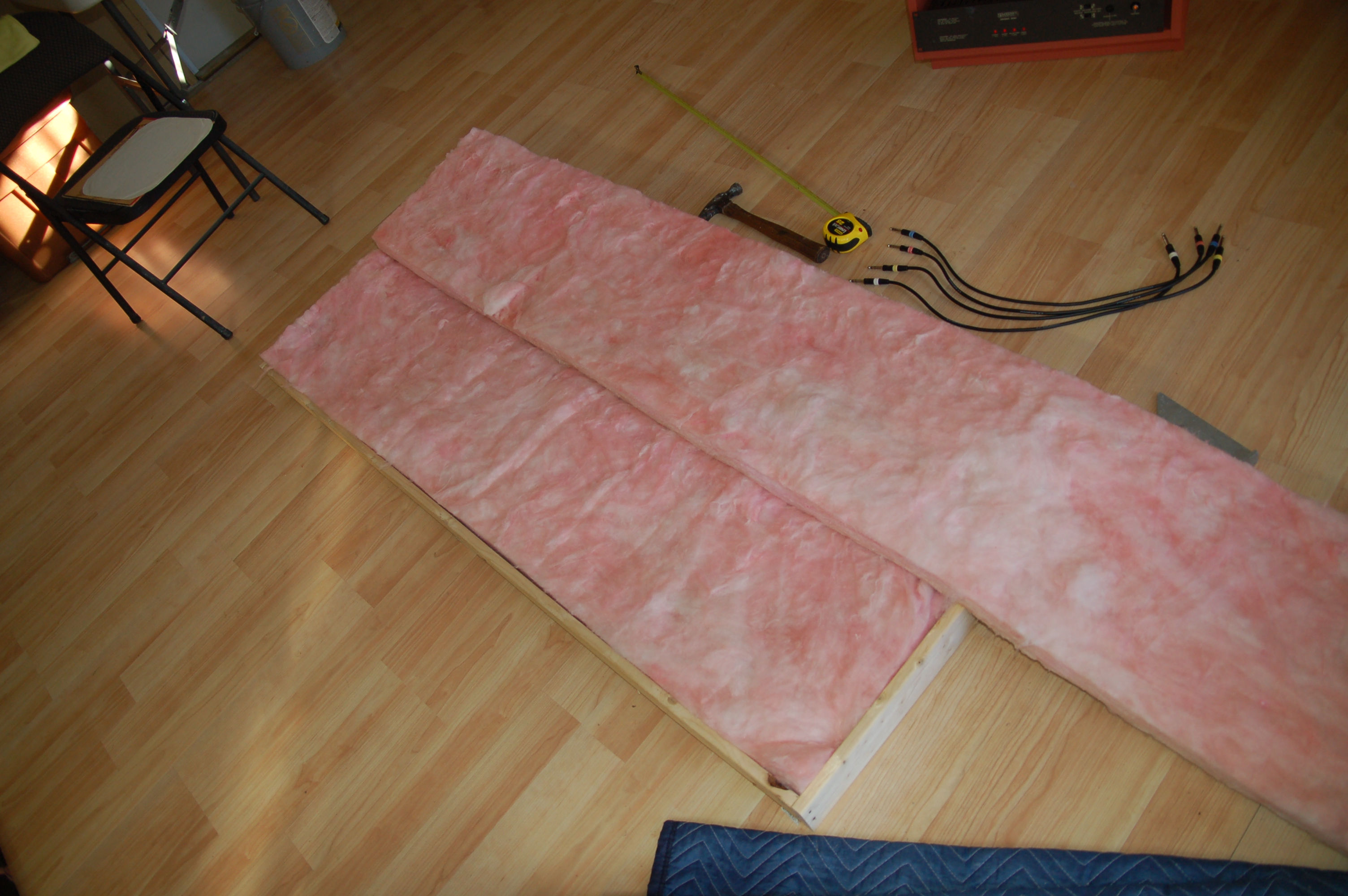
The absorber starts with a simple 1×3 wooden frame.

It’s really nothing more than a simple wooden frame with fiberglass fill, covered with cloth. Mine measured about 5’6″ by 30″. I used cheap 1×3 lumber (which is really about 5/8″ x 2 1/2″), but a true 1×4 would be better. If you use cheap wood, count on spending more time building them… I had to pre-drill all the nail holes to prevent the weak wood from splitting. I also used construction adhesive on all the joints.

The frame gets filled with plain R13 fiberglass. A few staples helps hold the fiberglass in place.

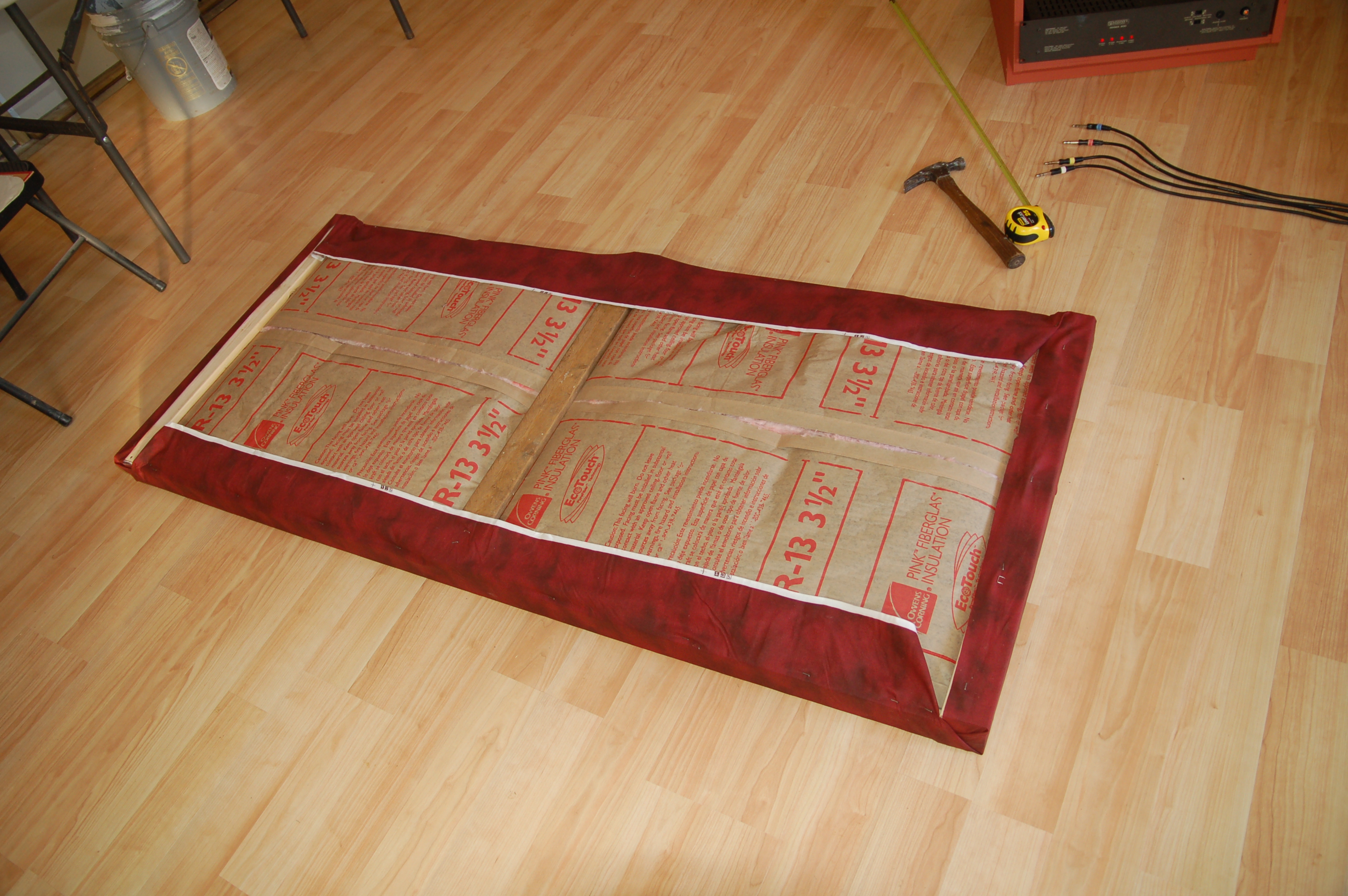
Once the frame is built and the fiberglass positioned, all you have to do is attach the cloth. I used a staple gun. They are fairly light, so they can hang on the wall with a simple screw. There may be times when I’ll want more room sound… then it’s a simple matter to move these somewhere else. Or stack them around a guitar amp, for example… they’re very handy to have around.

I turned the absorber over and stapled cloth to the backside, and it’s finished.

The finished absorber in place

A Mixer Table and Gear Racks

Here’s a look at my mixer table that I just completed. Since the Soundcraft 800 didn’t come with any kind of stand, I had to build something. This table is built entirely from two sheets of 3/4″ birch plywood and cost about a hundred bucks. It had a pair of slope-front gear racks and a removable “bridge” for the speakers and computer monitors. Thanks to the panel saw at Home Depot, I was able to put this together fairly quickly… less than two days.Image

I still need to order rails to mount the gear. And of course, I need to get the master section of the mixer rebuilt by Creation Audio Labs in Nashville before I’ll be functional. But it’s been a good bit of progress… hopefully we’ll be mixing in a matter of weeks.Image

While you can buy much nicer studio furniture from some of the suppliers listed in Mix Magazine, I firmly believe that it’s imperative to keep overhead costs as low as possible in almost any recording studio, especially considering the current state of the industry. This is what killed us at On Line Audio (my old studio in Charleston). Some months, business would be good, others not so good and income would be down… but the bills kept coming in like clockwork, and Robert (the owner) couldn’t afford to keep covering the losses.

Studio Construction is Finished

I’m happy to report that the heavy construction work on my studio is complete. All the drywall has been hung, sanded and painted (except for a section near the service panel… if I drywall there, then I can’t add other electrical lines, so that part will be left bare for awhile). I laid the last of the flooring a few days ago. The maintenance and engineering dept, aka my workbench, has been built and is ready to work. Now I’ve got to figure out the best place to put all my stuff.

Almost as soon as I got my bench finished, I turned my attention to the mixer. I’ve discovered much more than the “few issues” that I was told about when I bought it. The good news is that nearly all the input channels are functional… one channel wasn’t connected, so that was easily corrected, and number 26 has a bad HPF switch and only works when the filter is active. And the power supply does have new capacitors in it.

The bad news is the master section has got a number of very mysterious problems, with no obvious or easily traceable causes. I think the best course of action here is to send it off to Creation Audio Labs in Nashville to see if they can sort it out. I expect to be sending them a lot of work over the next few months, but I plan to break it up into installments and have them do the work as I can afford it.

The next job on my work list will be to build a cabinet to house the mixer and equipment racks for the outboard gear. I’ve designed a desk that I can build for about $150 or so, it’s just a matter of getting the plywood and slicing it up.

Lots of other finish work remains… installing double glass in the window & trimming that out, treating the door for sound isolation, etc. I expect that to take awhile yet. And I’ll need to buy an air conditioner before the heat of the summer starts up in earnest. But it’s very nearly a useable space right now, which is an enjoyable feeling.

Update: By replacing a voltage regulator in the power supply, I was able to correct a mysterious problem with the LED meters where it would only illuminate in segments of five LEDs… as the signal increased, the lower five LEDs would go dark while the next segment lit up. Very odd. Channel 26 was repaired with a copious squirt of contact cleaner. Next on the list is a rather large order for capacitors from Mouser… there’s room on the boards to increase the voltage and temperature rating.

Building a Studio- The Soundcraft 800

Work on my new studio space continues steadily. And while things aren’t necessarily moving as fast as I’d like, I’m getting things done one job at a time. Today was blowing insulation day, which was a messy, nasty, dusty affair. But it’s

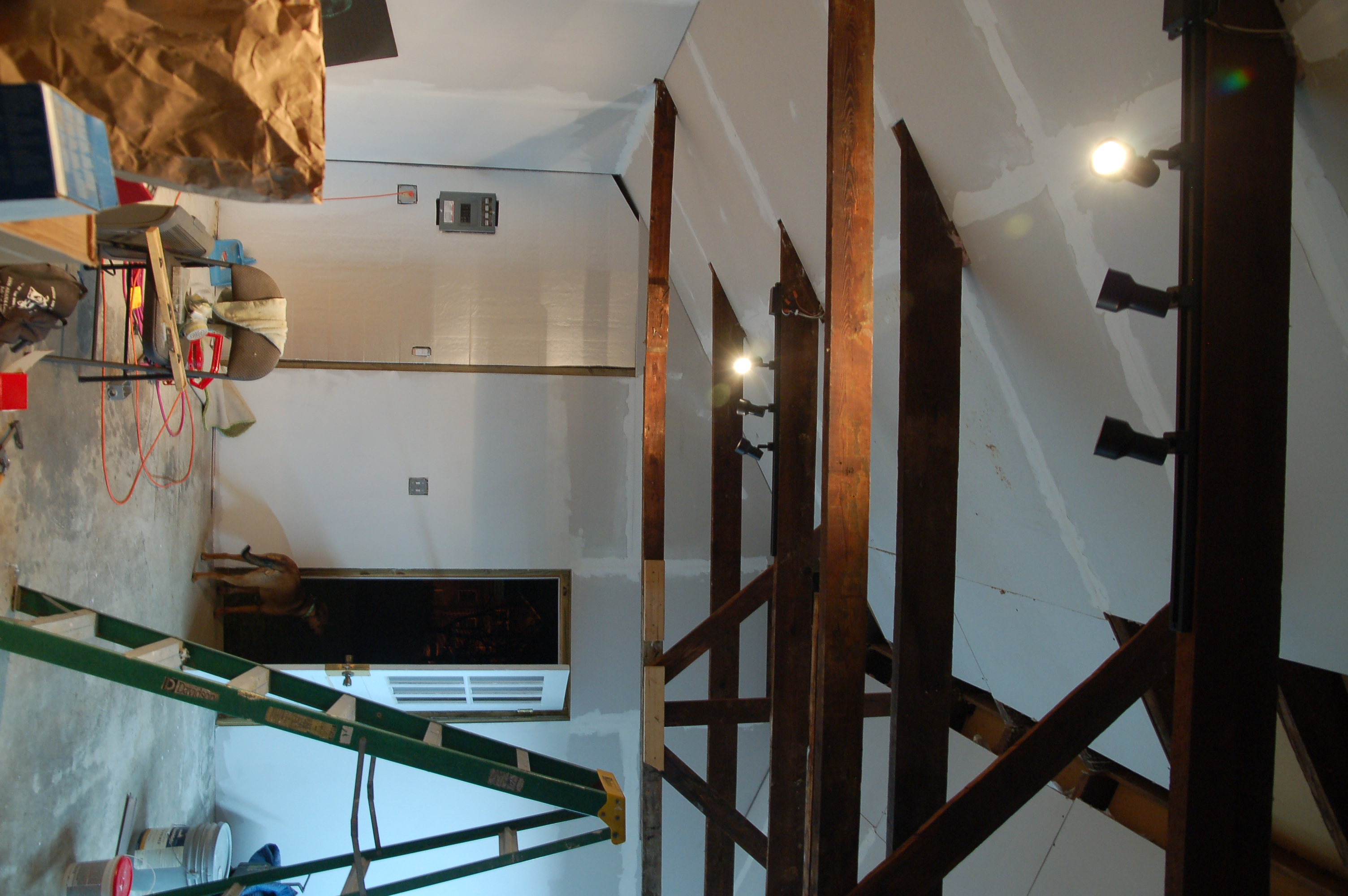
My studio as of Jan 14th... there's a LOT of drywall mud to sand yet.

also probably the most effective low-cost solution for my roof space, as it pretty much fills all the gaps between the drywall ceiling and the underside of the roof deck (with a layer of QuietBrace screwed on for better isolation).

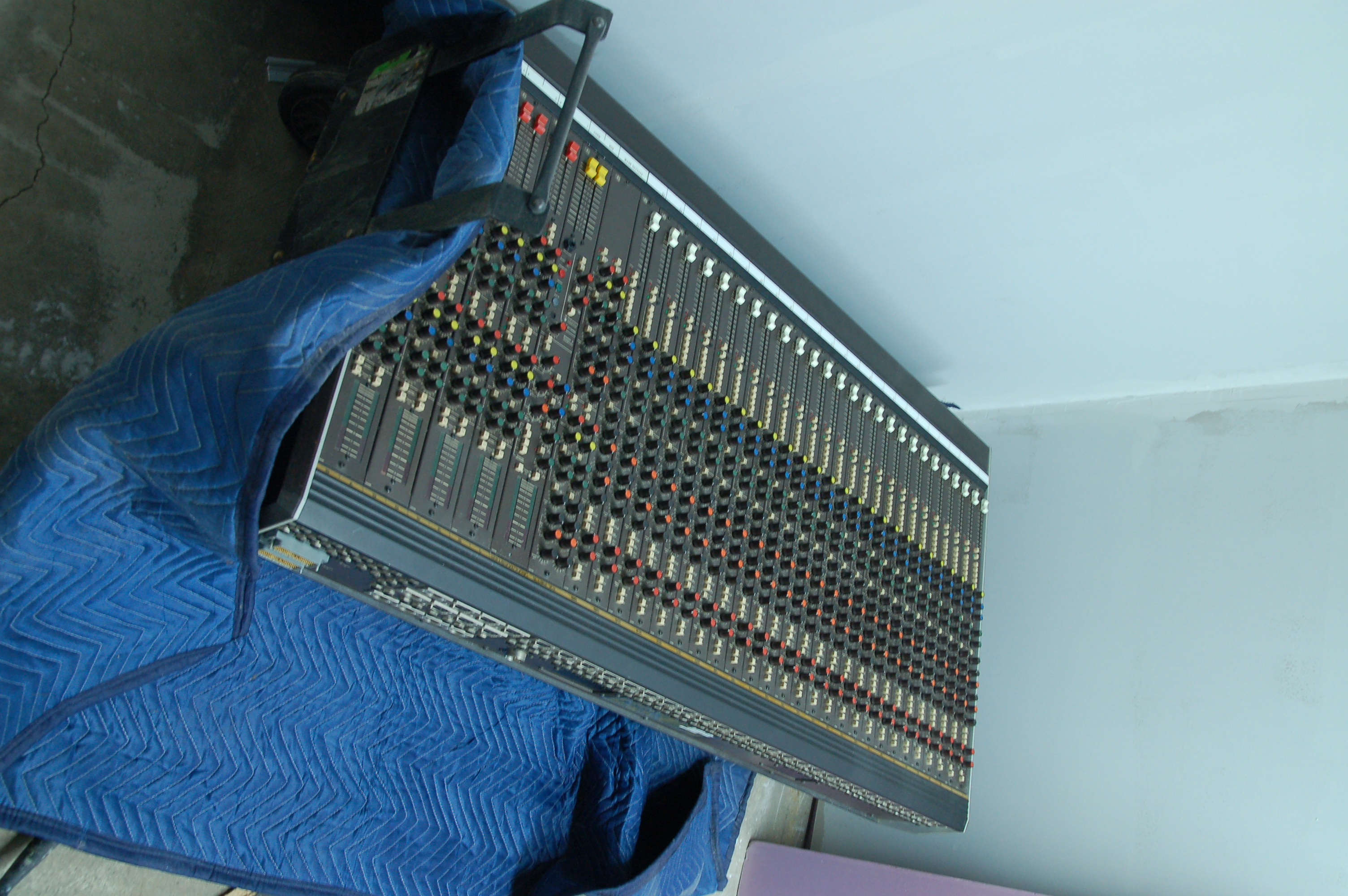
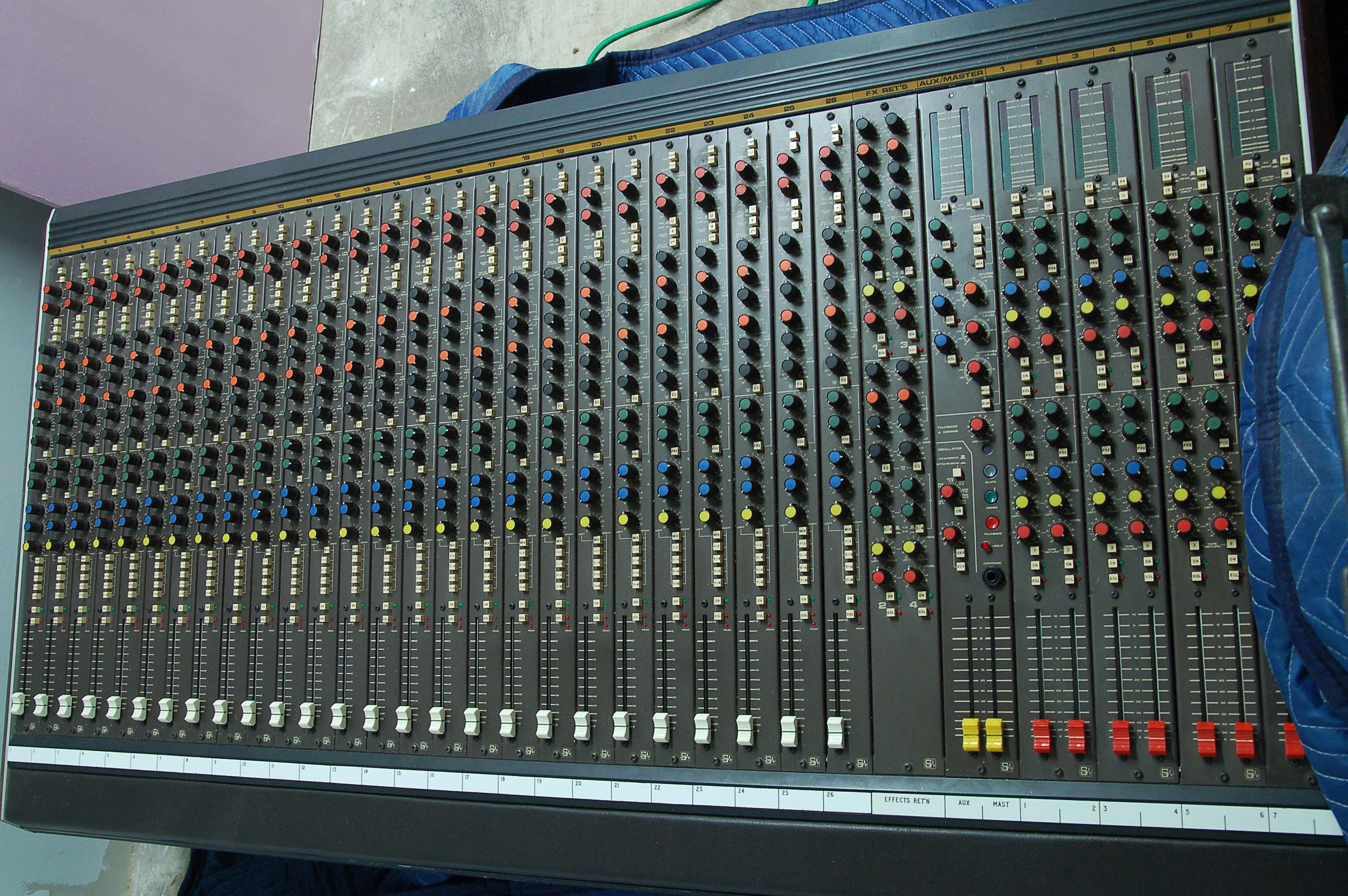
Old Busted or New Hotness? Depends on who you ask, but probably a little bit of both... my Soundcraft 800

And just as I was getting completely overwhelmed by the magnitude of remaining jobs I have to do, I gave myself a morale boost by taking delivery of the centerpiece of the studio, a Soundcraft 800 26-channel mixer. While it looks impressive (to me, at least… but some say I’m easily amused), it has some issues with the master section that will need to be addressed. The age of this mixer means that it will pretty much need a full rebuild.

I’ve already corresponded with the good folks at Creation Audio Labs in Nashville, they specialize in mixer rebuilds. (There was a great article by Rob Tavaglione about rebuilding a Soundcraft Ghost in a recent issue of Pro Audio Review.) I’ll be doing some of the upgrades myself, and I’m going to let them do some of the work. Part of the reason I wanted an older Soundcraft was the individual channel strips… this makes regular maintenance and repairs much easier than a newer mixer like the Ghost.

While this mixer isn't quite as nice as the Soundcraft TS12 that I formerly used, it didn't take four guys and a truck to move, either. While it's certainly a "midsize" mixer, these are a more practical choice for a smaller studio like mine... and they are a lot easier to resell when the time comes.

Fortunately, this mixer came complete with the original owners manual with schematics, a newly recapped power supply, and a bag of extra parts. The extra parts are a bit concerning… it means somebody has been poking around under the hood with a soldering iron, which can be a bad thing if the maintenance maverick isn’t particularly skilled. Since the electronics bench is a part of the studio, I won’t be able to start work on the mixer until the studio is complete. Fortunately, I’m not facing a particular deadline, so I can take the time to do things properly… but I’m sure anxious to start working on it.

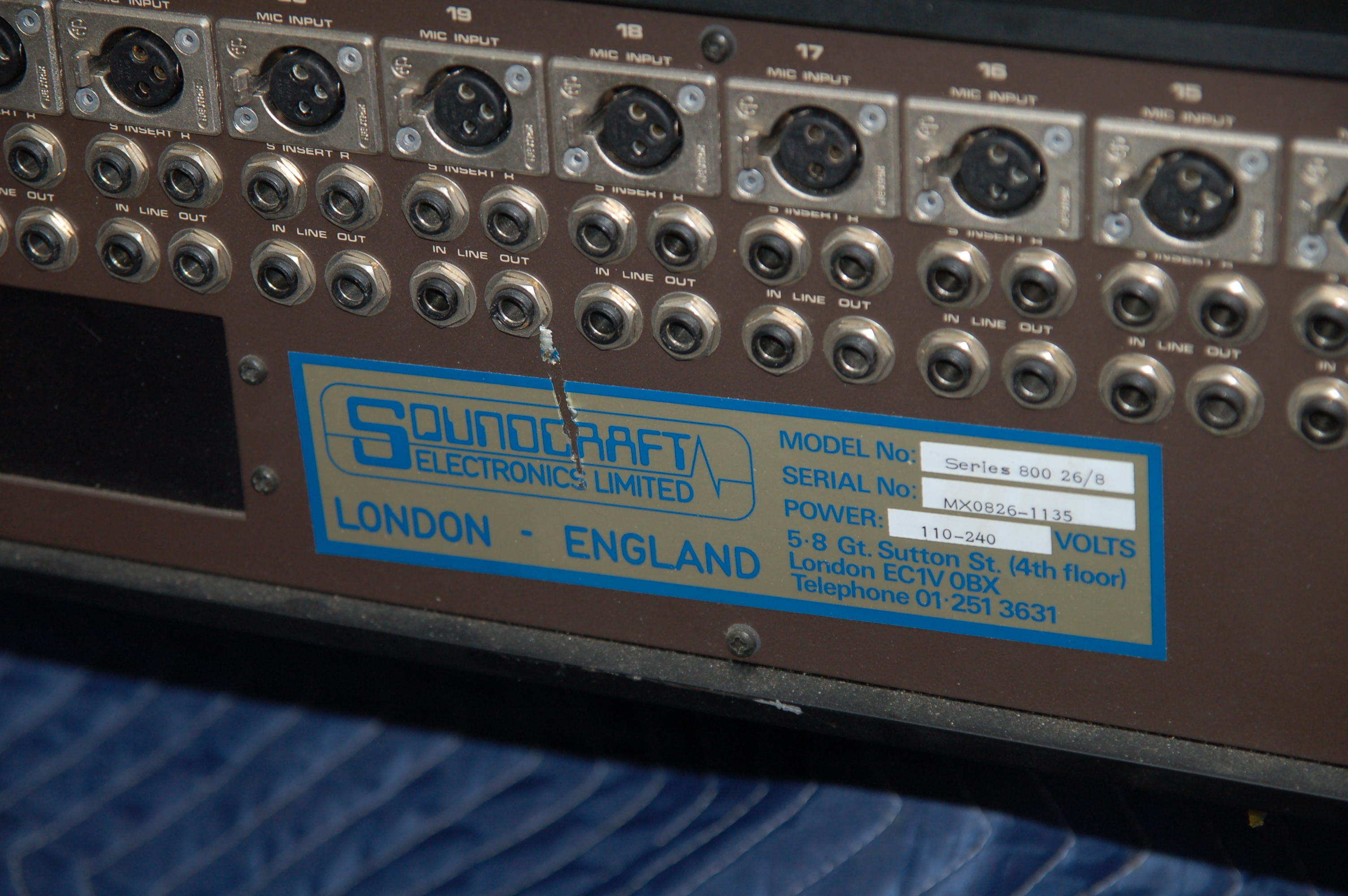
The nameplate on the mixer gives a clue to its age. This one was built, I believe, around 1981. Note how the connectors are individually screwed to the chassis and not held in place by a common PC board... common in older gear. The downside is that connectors often need to be replaced... tedious because there are so many, but a fairly easy upgrade.

Free Resources for Independent Filmmakers

Someone recently shared the following link with me:

http://www.dependentfilms.net/files.html

It’s a website filled with downloadable forms and tools for independent filmmakers. It includes contracts, location release forms, excel spreadsheets, word files PDFs… even color bars and a timecode calculator. Hope you find this useful!

Building a Studio

Karen and I recently moved to a new house. It’s quite a bit larger overall than our old place… there’s more room for our teenage son, a more-isolated space for Karen’s work (she delivers web-based training, so things have to be quiet). And for me… a freestanding, 2-car garage.

My soon-to-be studio space

This is going to become my all-purpose space… my office, certainly, as well as equipment storage and a bench for electronics fabrication and repairs. But primarily, this space will be my studio, though it won’t have a separate control room. Instead, tracking and mixing will be done in the same area to capitalize on the relatively small footprint (about 300 square feet). We did a lot of work this way at my old studio.

It’s been awhile, but this isn’t the first studio I’ve built. Robert and I built the first OnLine Audio location in Charleston, SC, rebuilding two front rooms of his house into a studio and control room. We started with a 1/2″ 8-track, and then quickly went up to a 1″ 16 track recorder. When we bought the 24 track, we moved to a large space on East Bay St in an old cigar factory that had been converted into a small business development center. The other tenants hated it when we fired up a big stack of Marshalls, but that usually occurred after regular business hours. Robert and I designed and built the control room, iso booth, and large studio room, and we put the 16 track and mixer into a “B” room.

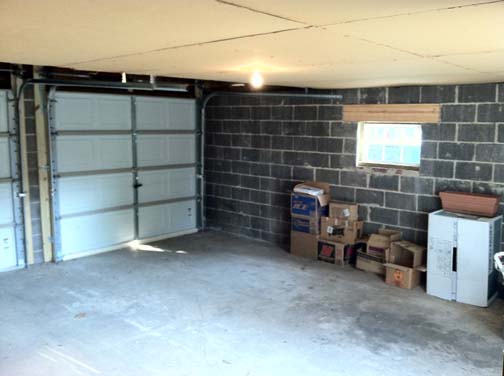
The interior of the studio looked like this when I started.

Construction has been going on for about six weeks now. The old “ceiling” has been removed, exposing the heart pine beams. The underside of the roof was layered with Quiet Brace (tarboard), and drywall has been applied to about 75% of the roof joists. I’m exposing the old beams and installing a vaulted ceiling. It’s a pain in the ass, but it will add a lot of cubic footage to the space… and it should look really classy besides.

Electrical work was finally completed last week… I went through five different electricians before somebody finally showed up to do the work. But I’ve now got a separate 50-amp service line for the audio and lighting, with a dedicated ground. I’ve installed new outlets along all of the walls, and now the insulation and drywall are going up. Garage doors were removed and replaced with an insulated double door and insulated stud wall to reduce sound transmission in both directions. I still have a lot of acoustical leaks to plug, but since it’s a cinderblock building, the space is already relatively quiet.

The studio as of January 4th, 2012… it’s a construction site minus the workers. Things are progressing, despite the mess.

I’ll be posting more photos as work progresses. Right now, everything’s a big mess. Work remaining to do… install blown insulation in the ceiling and seal up the sheetrock, install sheetrock and insulation on 2 more walls, insulate and sheetrock the gable ends. Tape, mud, and sand all the joints. Seal up & insulate the doors, install another window, add trim. Paint, Install the floor, build the workbench and gear storage racks. Then I can start looking at studio furniture and consider the purchase of a larger mixer… ideally, something like a Soundcraft 600… but not as big as the TS12 we had at OnLine Audio. I figure it’ll be a month longer at a bare minimum, but probably 2 more month’s work before I can start moving equipment in.

My studio will have digital capability, but the plan is to use an analog signal path for mixdown as much as possible. Plus I’ve got a design in my head for an old-school plate reverb that I’m dying to try.

Building a studio in today’s economy doesn’t seem like a good idea, but it’s about the only way that one can do studio work anymore. There are very, very few “studio jobs” left as more places close down. Several other studios exist here in Chattanooga, ( one less than a block away) plus Nashville is less than two hour’s drive from here. So I won’t be taking out any loans or installing a Neve. But I feel quite certain that I can bring some rather unique skills to the party, and that I can develop some markets for my little studio. More info will be posted as it develops.

A DSLR Timecode Workflow

Most of the DSLR shoots I’ve worked on have been fairly simple affairs, at least in terms of synchronizing the sound… mostly because there weren’t any other options. These shoots are done old-school “double-system,” where the camera records the visuals and the audio is recorded with a separate recorder. We used to use a Nagra for this (which is still a desirable piece of gear… one day I’ll find one that I can afford.) A standard slate is used at the head of each take to provide a marker for the editors. They line up the little bar of the slate with the crack of the slate’s clapper on the waveform, sliding the audio around until they match, and then the audio is locked to picture. Many folks are using PluralEyes to speed up this process. But if you’re doing a long-form production with a lot of takes, manual sync can become a fairly large chore.

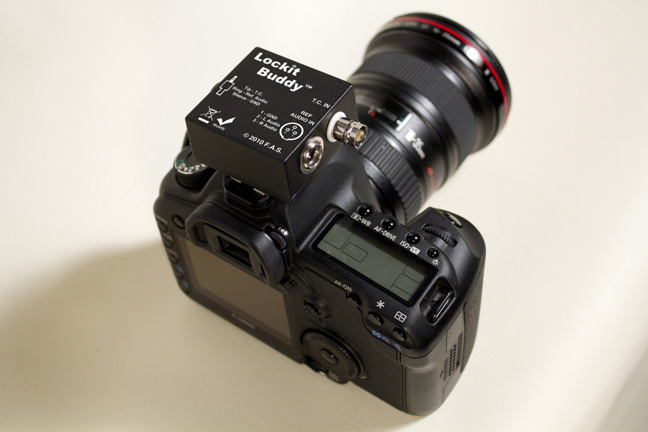
The Ambient Lockit Buddy in the hotshoe mount

I did a shoot recently where the production house supplied an Lockit Buddy (built by Freelance Audio Visual Services in the UK) along with an Ambient Clockit Box (we used an ACL 203) timecode generator. Ambient timecode generators have been around for a long time, and are proven pieces of kit… though they are expensive little morsels. What’s new is the Lockit Buddy. This is  a small passive device designed to drop linear timecode down to mic level, allowing it to be recorded on the DSLR’s right channel. You can also feed a reference audio track to go on the left channel, if you have an extra wireless or line level out. The Lockit Buddy doesn’t generate its own timecode, and requires some sort of timecode signal for it to work… either generated as it was on this shoot, or a feed from a timecode out from a timecode-capable audio recorder (My Edirol R4 Prohas a BNC timecode out that would be perfect for this application, but the DP didn’t want to be tethered to my recorder) or a video camera.

A typical Lockit Buddy setup. Note that there’s no provision to mount either the wireless receiver or the timecode generator… not ideal for handheld shooting or tight production schedules

In use, the Lockit Buddy worked pretty well. We would jam sync the recorder at the beginning of the day and then disconnect the two (with both the recorder and the master generator running in “free run,” of course). The generator and lockit buddy combination was a bit cumbersome on the camera. The Lockit Buddy comes with a hotshoe mount, but not the lockbox, so we had to tape everything on top of the camera. The assembly was  constantly slipping out of the hotshoe mount. Because of the mounting difficulty, we didn’t use the wireless receiver on the camera. But it did work. I’ve even got my own Lockit Buddy on order, as they’re not too expensive (around $140).

setting the sound recording level manually is required for the timecode signal to work, though the constant level of LTC would likely override the audio gain setting of the camera. Sudden loud bursts of noise may cause the level to fluctuate in auto mode, however, causing potential sync problems.

Unfortunately, the post work is being done in the UK, so I can’t report how seamless the system is on the backside. I understand they “had some trouble syncing up the takes,” but they didn’t elaborate. Still, if a scratch audio track is fed to one side, one could still use PluralEyes if the LTC signal somehow failed to lock up. Using a slate is, needless to say, mandatory. And there is more info about the post process on the Ambient website.

While I like the Lockit Buddy, there are some improvements that I’d like to see… maybe in version 2.0. A full-sized XLR connector with a mic/line selector switch would be a big improvement, and wouldn’t require any active circuitry.  This way a DP could plug in a basic mic for an audio scratch track, without requiring a tether to the soundperson. The TA3 connector means that special cables must be built to get audio into the camera, and an additional 3.5mm female jack would be highly convenient. I may do that modification myself, once mine arrives.

How To Make Turtle Clips

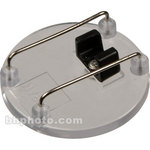
I can hear you. You’re saying, “What the #%*& is a turtle clip?”… a reasonable response to the above headline, actually. I didn’t know about them myself until recently. A “turtle clip” is a mic clip with a little wire bail over it. The wire is there to keep fabric away from the mic, preventing clothing rustle.

A commercially available turtle clip for a Tram lav

If you’re flush with cash and short on time, you can buy these from B&H for $20 apiece. Or you could make them yourself. All you need are some bits of copper wire, something round (like a dowel or broom handle) to use as a former, a pair of needlenose pliers, and a pair of cutters. Optionally, you can use a soldering iron if you want to get fancy, but it isn’t required. The clips that I made require a bit of Topstik or Moleskin to secure the mic, but they work as well as the ones from B&H.

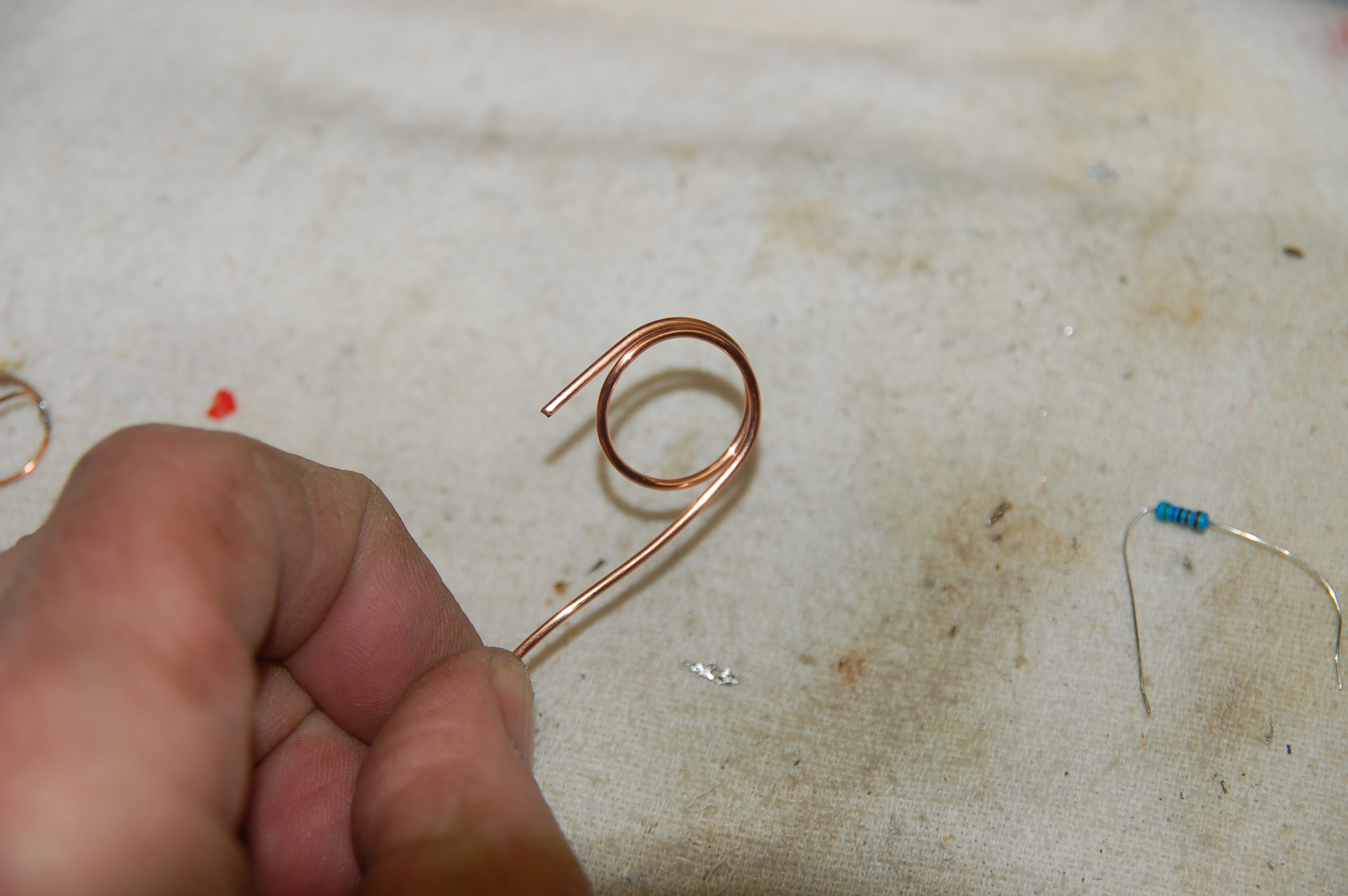
Any round object will do as a former. The size determines the diameter of the finished mic clip… about a half-inch or three-quarter-inch rod will do. Wrap the wire around the former as if you were winding a spring one and a half turns. It’s easiest to wind a little extra and then clip off the excess wire later.

Starting a turtle clip. Copper wire is wound around a round former, 1 1/2 turns

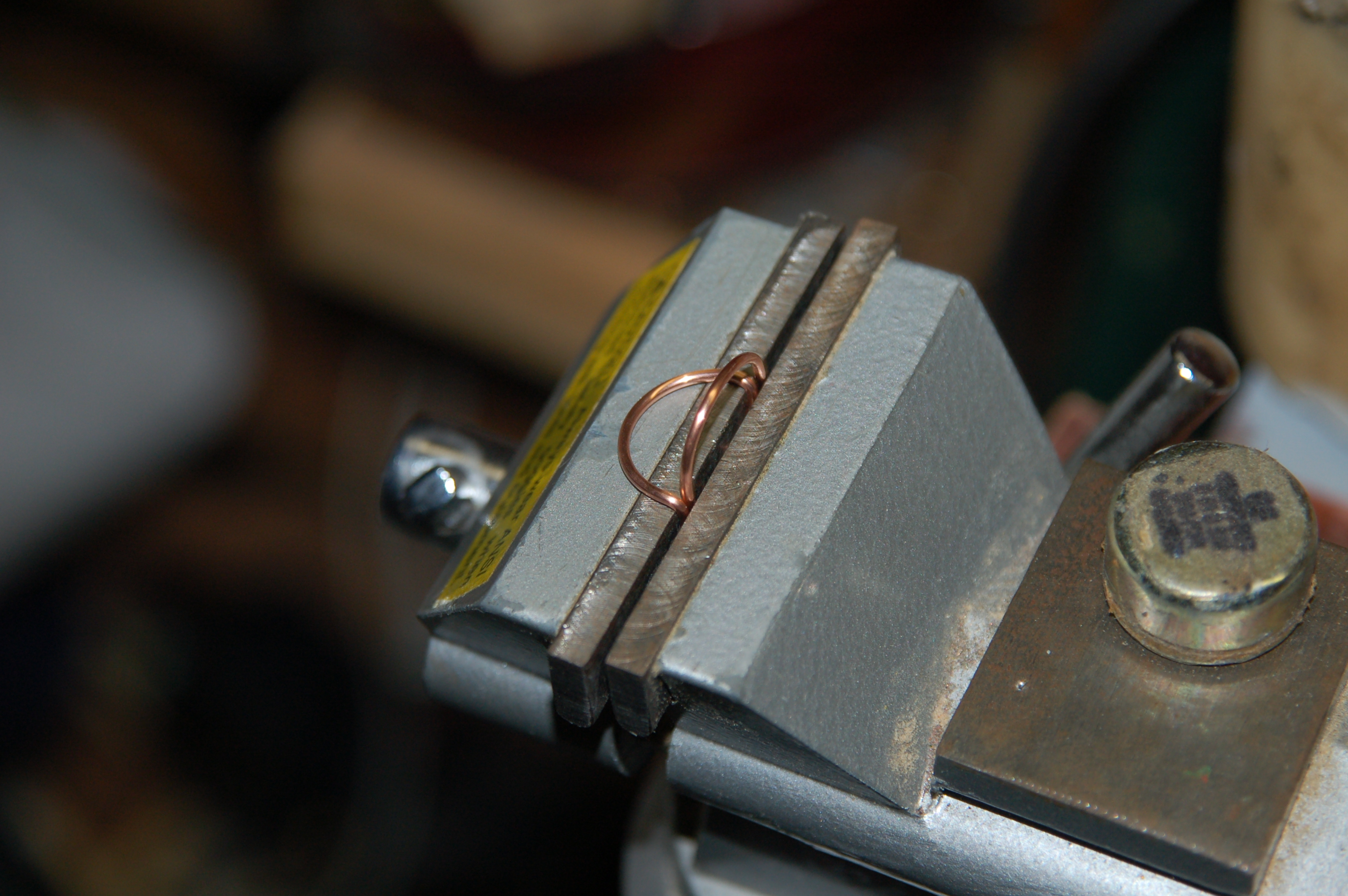
Now, using the needlenose pliers, bend a half turn of the wire up 90 degrees. Clip off any excess wire and you’re done, unless you want to solder the ends. Soldering only takes a second and does make the finished clips a tad stronger and smoother, but it isn’t required. If you haven’t done much soldering before, this step could be

Bend one of the loops 90 degrees. I used a vise, but pliers can work fine for this.

a little tricky, but it’s very easy with a little practice. (HINT: Heat the wires first, then apply the solder to the wires. Don’t apply solder to the soldering iron, except maybe to help transfer the heat to the wires.)

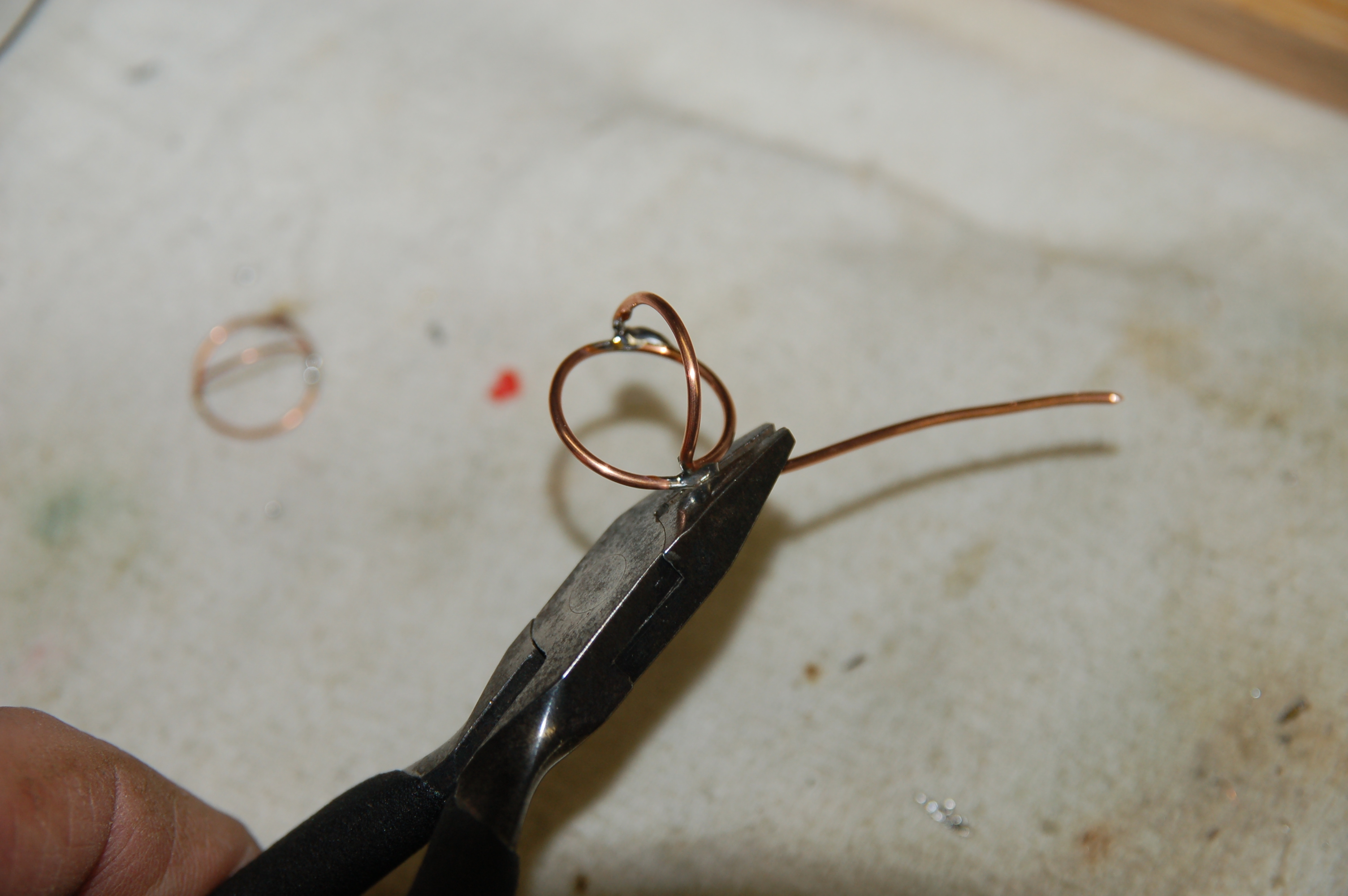
Once you’ve made a few of these, other variations and improvements will surely come to you…

Snipping off the excess wire. Having a little extra wire makes handling these a touch easier while you make them.

making clips with two bails, for example, or rectangular shapes rather than round. They will get rather bent out of shape with regular use, but they’re easily replaced and cost only a little time. And if you’re too busy to take the ten minutes it takes to make these, I’ll be happy to sell you some that I’ve made… only twenty dollars each!

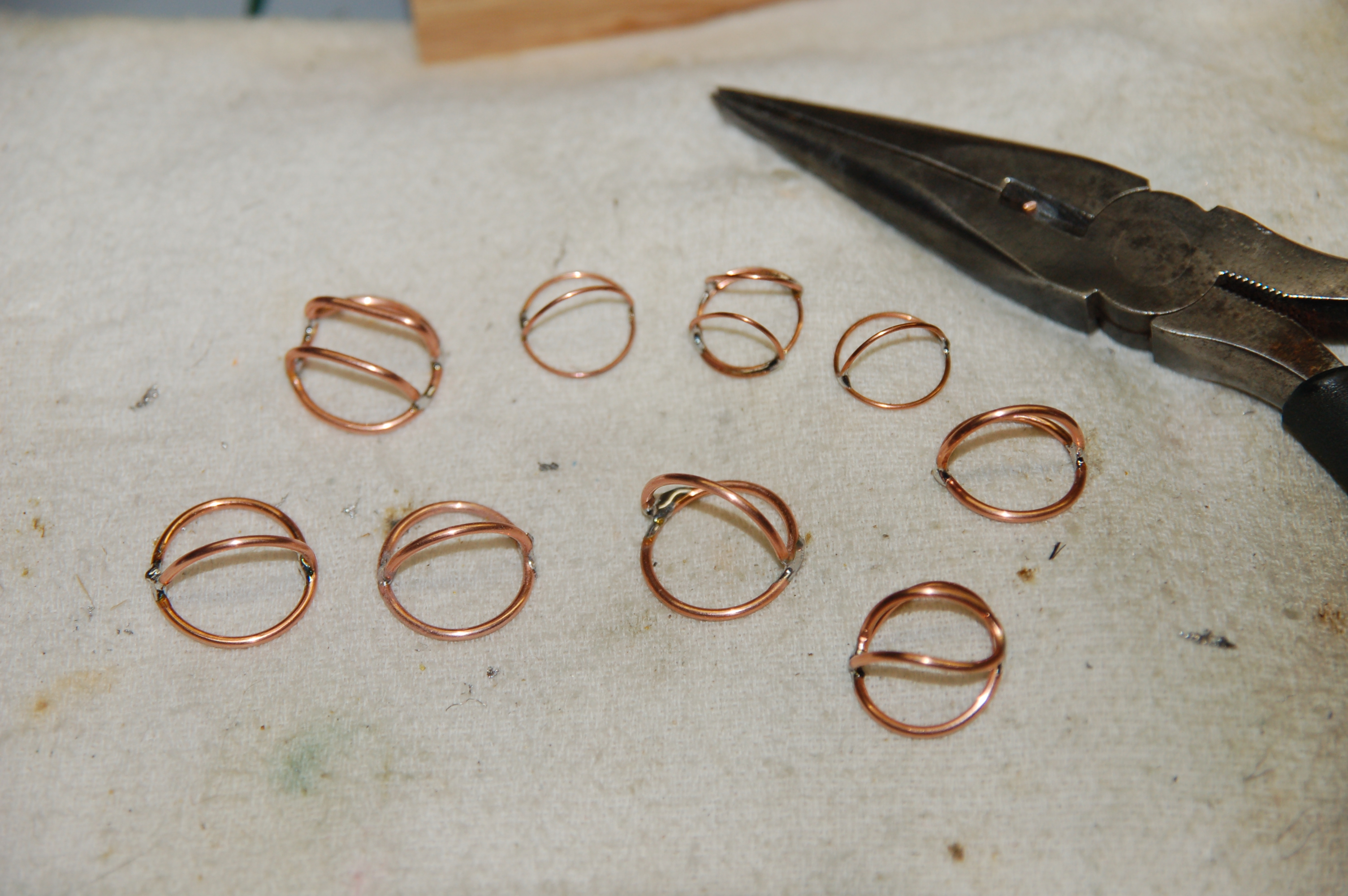
My collection of homemade turtle clips. They didn't take long to make, and they get easier with a little practice.

My Big Fat Greek 4-Track Setup

OK, so I’m sitting in a hotel room in Nashville, waiting for the client to arrive. It’s 8:51 PM local time. Their plane lands at 9:30, and they possibly want to shoot some tonight… depending on the party that the band has scheduled.

The client is Record Collection Productions from California, and the subject is a band called Jeff The Brotherhood for Red Bull’s Sound And Vision.

It started out simply enough… they requested two lav mics, a boom, and a 4-channel mixer. A straightforward, normal production setup that I’ve done many times before. But yesterday I was told that the post house HAD to have iso tracks, and they HAD to be timecoded. No problem, I’ve got an Edirol R4Pro timecode-capable 4-track. I’ll just bring my cart, and… no, you’ve gotta be very portable and run everything from a bag.

Naturally I thought I could rent my way out of this problem with help from my pals at Trew Audio. But no, their 788 was already out, and their Zaxcom Deva was parked in Glen’s rack for a movie he’s working on. So it’s back to the drawing board. And by the way, they need a wireless timecode slate, too.

The R4 is a great recorder, but it doesn’t handle mixing duties well at all. In fact, about all you can do to monitor is listen to tracks 1 and 3 in the left side of your headphones, and tracks 2 and 4 on the right… no mix outs, no solo monitoring… it’s a recorder, not a mixer.

The solution that I came up with was rather simple. Since the primary deliverables are the iso tracks, I’m running two Lectro receivers into tracks 3 and 4. The boom mic is hardwired to a splitter, with one output going to track 1 of the recorder, and the other output going to a Lectro transmitter. The receiver goes to the camera, so they’ll have a wireless link with the shotgun on one track.

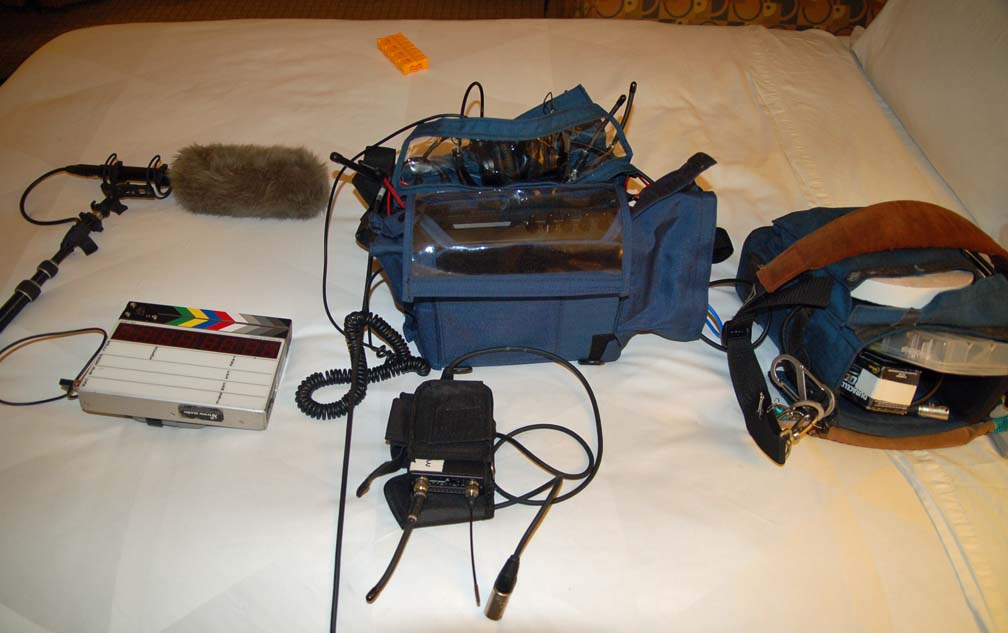
The 4-track capture setup. Sennheiser ME66 shotgun, wireless timecode slate, R4Pro in a Portabrace with a second bag attached to the top containing 2 transmitters and 2 receivers, a Lectro 195 receiver for the camera, and a run bag with batteries, grip tape, extra cables, etc

In a perfect world, I wouldn’t use a setup like this, since a mono mix to camera goes against my grain a little, but this is about the best solution that can be had with the equipment that is available. We’ll see how it actually shakes out.

Comparing Lav Mics

I don’t have a huge collection of lav microphones, but I’ve tried several different models over the years. All of them work amazingly well, though I’ve naturally developed a preference, and I do have one particular model that I tend to use as my “go-to” mic (which I’ll reveal in a moment).

Some wired lavs- from left to right, unmarked EV lav, evCO90, Sony ECM44b, Sony ECM55b

The problem with comparing different lav mic models is that many wireless transmitters use their own wiring conventions. Lectrosonics uses a five-pin connector (a TA5), while Sony and Sennheiser use a 3.5mm jack… and the two aren’t interchangeable. So while I have a fairly diverse collection of lavs, they aren’t all wired to use the same transmitter. One of these days, I’ll get rid of my other transmitters and go “all Lectro,” but that’s a somewhat expensive proposition.

Two Sennheiser lavs

My lav mic locker includes the following:

  • Countryman EMW (wired for Lectrosonics)
  • Countryman B6 (Lectro)
  • Audio Technica 899 (Lectro)
  • Lectrosonics 119
  • Lectrosonics 152
  • Sennheiser ME102
  • Sennheiser ME104
  • Sony ECM44B (hardwire)
  • Sony ECM55B (hardwire)
  • Sony UWP lav
  • EV CO90 (hardwire)
  • EV MysteryLav- looks suspiciously like a Sanken COS11

These two mics are the ones I use most often... a Countryman EMW and my current favorite, the Audio Technica 899

There is a really good article about comparing several different models of lav mics at Ken Stone’s website- click here. I haven’t done extensive side-by-side comparisons of all the mics that I have, but I’ve got some favorites. I found a good deal on some Countryman EMWs. These are small, rectangular, side-address lavs, similar to Trams, which are kind of an industry standard. But Trams were too expensive and only available new. The EMWs small size and resistance to handling noise are big advantages and I used these for several years. But then I happened to try an Audio Technica 899 during a 3-person shoot… two people wore EMWs, and one wore an 899. While all sounded good, I was surprised at the reduction in room noise when I soloed the 899… there was a significant improvement in the amount of background noise. Since then I’ve managed to purchase a set of three 899s, and these are my favorite mics in most situations.

Any mic with a larger head is generally not my first choice on the set, since most clients would rather hide the mic in the talent’s clothing, even though this means a reduction is sound quality. My Sony 55b almost never gets used for this reason, even though it’s an excellent-sounding mic. My Lectrosonics mics have some rather questionable-looking cables, so I keep them to use as backup mics.

My First Place & the Ambient EMP Eumel

I was recently in Nashville, TN shooting an episode of HGTV’s My First Place. I was glad to finally get the gig… they’d called me a number of times before, and I was always booked. And because of the way things work out on this show, they don’t usually give their crew much notice (less than 24 hrs on one occasion). Scheduling last-minute shoots is difficult… I try to make them work, but I’m often booked. That’s how it’s been with My First Place in the past, so I was especially pleased that I was able to make this shoot work.

I worked with two Nashville freelancers, producer Laura Douglas and DP Chris Conder. Both have been working in and around Nashville for a number of years, and Laura had worked in news, so we all had similar experiences to share. The show is produced by High Noon Entertainment in Colorado. I’ve worked with them before, but this particular shoot was done with an all-local crew… no one flew in for the show.

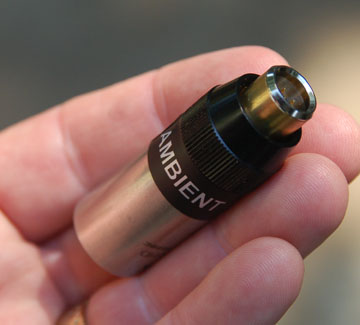
One of two Ambient EMP 5s transformers that I recently bought. I've been needing these for a long time, and they work like a charm.

I tried out a new piece of gear on this trip… an Ambient EMP 5s eumel. (a eumal–pronounced “oymal–” is German for widget.) It isn’t a very sexy bit of kit, and it’s pretty pricey (about $118 each from Trew Audio) but it’s extremely handy to have. All they are is a transformer built into a nicely machined Neutrik connector. What they do is convert a wireless lav microphone– in this particular case, my Audio Technica 899– into a hard-wired version. Since these were going to be seated interviews, I figured this would be the perfect application. I’m happy to report they work like a charm. I have several mics that are wired for Lectrosonics transmitters, and now I can use these all as hardwires if the job calls for it. In the past, I have used a Sony ECM55b for my hardwire jobs, and while it works great, I have often wished to use a mic with a smaller head– like my Countryman EMWs or my ATs, since the Sony is a little harder to hide. My Ambient EMPs give me more options, and options are always nice to have on the set!

The guys that were buying their first place had a budget of $140K, and wanted a minimum of 1,000 square feet. Nashville is a nice town, but the real estate prices are pretty steep for most people. (In contrast, we’re looking at a 2,800 square foot house here in Chattanooga, and the selling price is $192K. That’s nearly 3x the house for about $50k more dollars. There’s just no music industry here, unfortunately.)

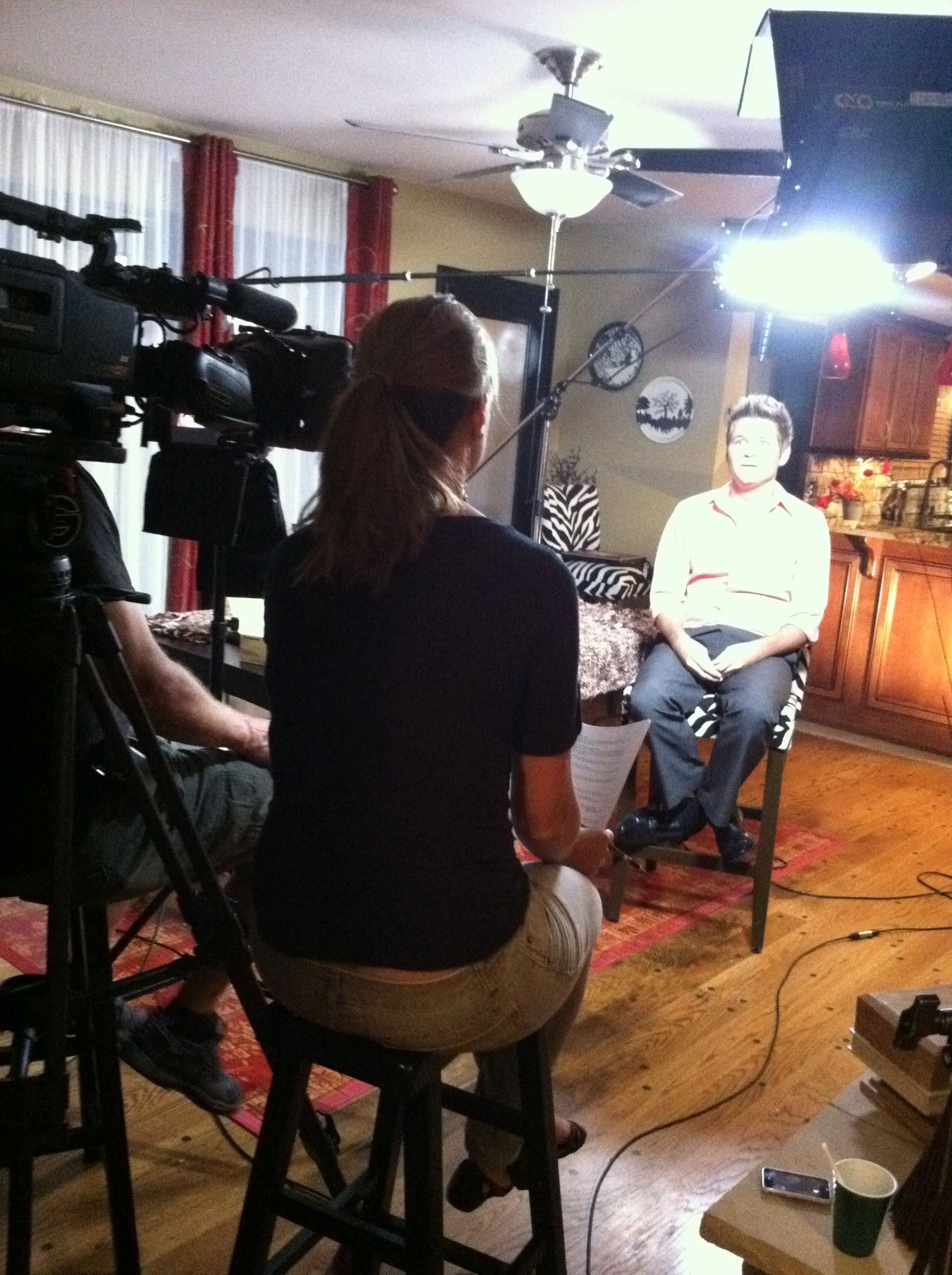
Producer Laura Douglas interviews first-time homebuyers Bret Marchbanks and Daniel Sircy for HGTV's My First Place. Chris Conder on camera.

The only bad part about the shoot was the drive home. I work as a local in Nashville for one-day shoots, so  had to drive home that night. We finished the interviews at 10PM local time, and since Nashville is in a different time zone than Chattanooga, I pulled into my driveway at 2AM. But I’m looking forward to working with them again soon.

The DBX 900 Series

Way back in the stone age, we used some equipment in the studio that was really neat stuff… very high-quality circuitry, mostly discrete, handbuilt equipment that I used to record some pretty good records, even though you’ve never heard them. One of my favorite pieces of outboard gear that we had in our rack was a DBX 900 rack. This was a 19″ wide power supply with spaces for nine 5 1/4″ x 1 1/2″ modules. Two other companies made similar systems- Valley Audio (we had a Valley rack as well, and we liked it better than the DBX) and API. Of the three, only the API Lunchbox has survived, and now there are hundreds of modules manufactured that can fit API racks, and Radial Engineering has just released their own version of a rack cage and power supply for 500 modules. Very nice, but very pricey.

My DBX900 rack, almost identical to the one we had at my studio 30 years ago. It's taken several years to put this together.

In contrast, a DBX 900 rack can be found used as low as $150 on eBay (though I’ve seen some crazy prices lately) and individual modules go for around $100-200 each. One other company besides DBX made modules for the 900 series, and that’s Aphex. These folks make some GREAT compressors, but as far as I know, only the  9721 Dominator and 9651 Expressor is available for the 900 rack, though there may have been others. Because of size constraints, the Dominator doesn’t have all the controls of the 19″ rackmount version, but it’s a very sweet compressor.

The DBX 904 noise gate module for the 900 series rack

Don’t overlook modules that need repairs, either. I was lucky enough to find some 900 units on eBay that were being sold as non-working, parts-or-repair-only. I took a gamble and got these for about $30 each. One was a 905 parametric EQ. This one turned out to be an easy fix… a disc capacitor had blown itself in two.  Thanks to DBX’s unselfish policy of publishing their schematics, I was able to figure out the value and replace it, and it works! Sometimes a blown part is a symptom of other problems, but so far, nothing else has smoked.

Next up was a DBX 903 compressor limiter. This one exhibited some general wierdness in terms of the signal, and the LED meter on the front was out. The 900 series all use the same meter driver board, which helps. I traced the signal at the meter board’s input, and confirmed that it was getting a signal, so I pulled the board and swapped it with another from a working unit… problem fixed. Now we know the problem is somewhere on the meter board. Examining with a microscope showed a resistor with a tiny burn mark around the middle. Replaced the resistor, and presto! The meter board works.

The business end of the 904. The board on top is the meter driver.

The last problem piece is a 904 noise gate, the donor for the working meter board used to correct the compressor. This one was a bit tougher to fix. Reinstalling the now-repaired meter board shows that the unit is detecting properly and gating a signal according to the settings, but there’s no output.  I poked around with a meter, and got about a .4v signal at the input. I started working my way back from the output, and found a non-polarized electrolytic capacitor that wasn’t passing any AC. So to test my theory, I removed C3– a 4.7uF non-polarized electrolytic cap– and replaced it with a pair of 10uF capacitors wired back-to-back, i.e., negative tied together, positive side out… and it works, passing a clean, gated signal!

After a proper 4.7uF NPO cap arrived from Digi-Key, it was soldered in and tested… that fixed it. While I was at it, I ordered enough Nichicon capacitors to re-cap the entire board… fortunately, DBX designed their circuit boards to accommodate either radial or axial-leaded caps, so either type will fit.

The problem cap. Replacing this fixed the unit. Fortunately, the problem wasn't under the big square metal case... that's a DBX discrete voltage-controlled amp (VCA), which is mostly transistors packed very tightly onto another circuit board. Repairing one of these would be really difficult, and replacement would be impossible.

That’s the other big advantage of this old stuff… it’s possible to fix it when it breaks. When parts fail on new gear… likely built overseas, by robots, using surface-mounted components… you’re pretty much done and replacing the entire board is the only option. Sometimes sourcing parts for vintage gear is difficult or sometimes impossible… germanium transistors and diodes come to mind. But vintage gear can almost always be rebuilt, and if the quality is there to begin with, it’s worth the effort.

The 904 fully recapped. The job wasn't that difficult or expensive, but you do need to be careful and take your time.

The Sony PCM-m10 vs Zoom H4n

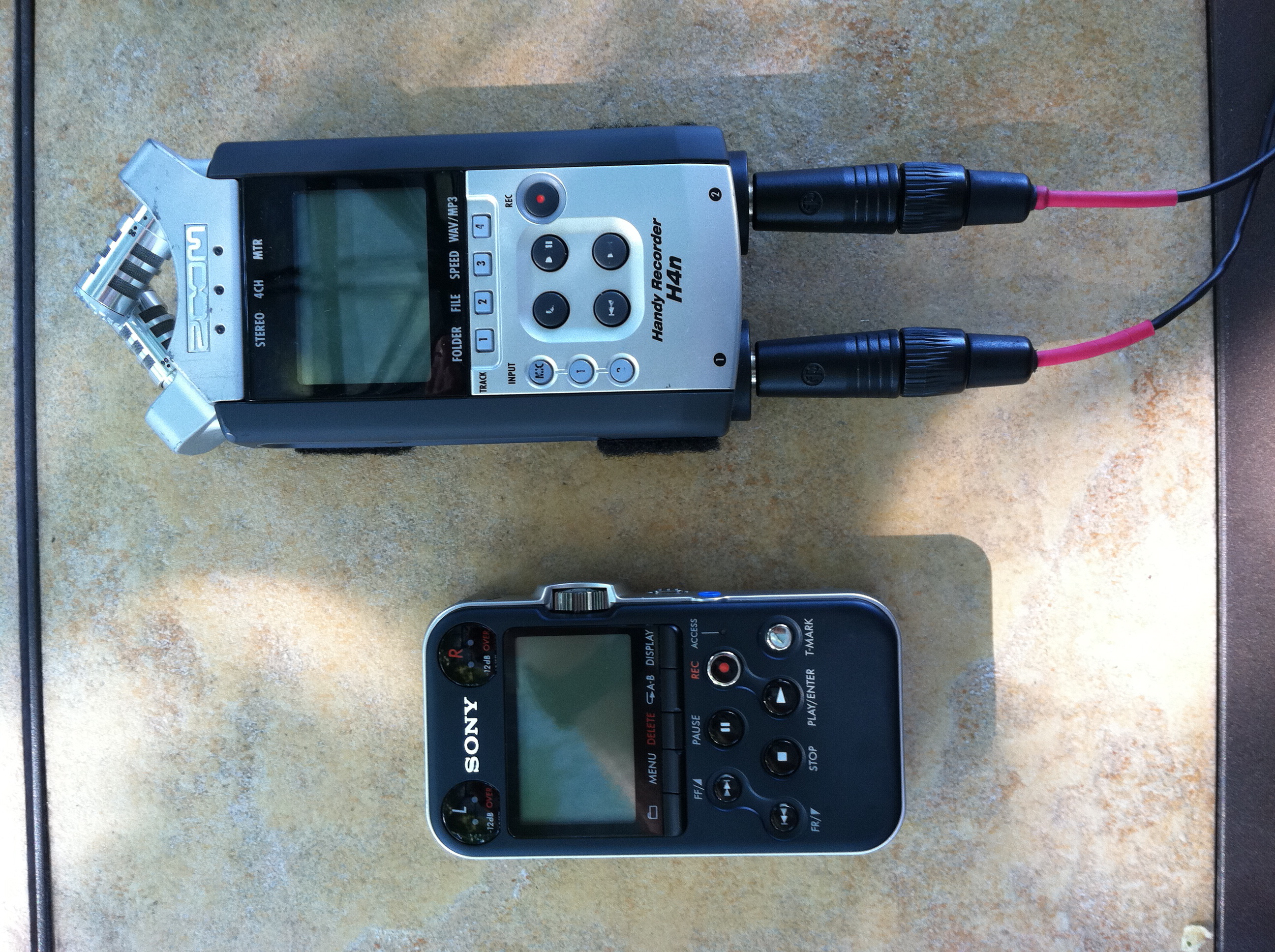
Like many folks, I’ve been using a Zoom H4n
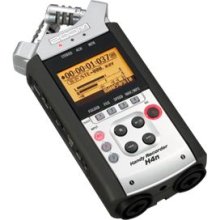
Zoom H4n portable flash recorder

as my bag recorder for awhile now. But I recently acquired a Sony PCM-m10. This post will compare the two for use as a location audio-for-video recorder. My recorder of choice is an Edirol R4Pro, but it’s too large to use in a bag along with a mixer. What we’re after here are small, palm-sized 2-track recorders, and there are several to choose from.

My Sony PCM-m10. The front panel layout is fairly straightforward.

The Zoom is a good recorder, and has a number of useful features that aren’t available on many other recorders. These are easily discovered through any web search, but the major points are 4-track recording ability, and XLR inputs. But like everything in life, there are drawbacks… at least in my application. These are:

Lousy battery life– There’s no getting around it, the H4n is a power hog. Used as a straight recorder, I get about four hours from a pair of AA alkaline batteries. I’ve been on shoots where I’ve drained two sets in a single day, and the stress of starting a take with a low battery  indicator has to be experienced to be fully appreciated. Or worse still, putting in your last pair when you’re a mile and a half in the woods… and your extras are back in the car. My workaround has been to use very expensive lithium batteries, which will last nearly three shooting days. The folks at Zoom realized their design was a bit thirsty, and they put in a “stamina mode” switch on the back.
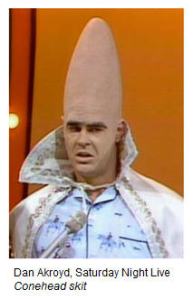
Beldar Conehead... never a big fan of reduced sample rates...

This will extend the battery life by disabling some features, but it limits your sample rate to 44.1/16 bit. As Beldar Conehead would say, “Mips!!! Unacceptable!!!” If you’re too young to understand the reference, I’m sorry, but your cultural education needs some work. Do the research.
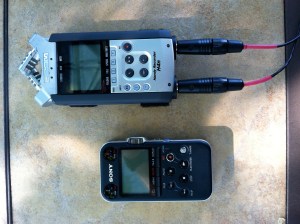
The Zoom H4n is bigger overall, and the larger input connectors makes a slightly cumbersome package in a bag.

Picky Line Inputs– the 1/4″ inputs on this unit are high impedance ins. These are great if you want to plug an electric guitar directly into the unit, but for a mixer tape out… not so much. I know, you can buy a cable with a built-in pad, but it’s still a pain in the butt.

Fragile Form Factor- the adjustable mics on the top of the unit are nice for grabbing a quick stereo soundfile, but when used in the bag they tend to be somewhat vulnerable. The big 1/4″ connectors means it usually lives in the bag mics-down, and I worry that these may someday break.

4-Track Limitations- While the zoom H4n is widely advertised as a 4-track recorder, the implementation isn’t as great as it could be. Yes, it can record four tracks at once, but two of those tracks are intended to come from the unit’s onboard mics. There is a 3.5mm jack that can bypass those mics, but this is still a bias-powered mic level input. It can be made to work with yet another padded cable, but doing so involves such a web of special cables and workarounds that I’ve never tried to do a 4-track recording in the field.

The Sony is thinner than the Zoom, but this is a limitation of the XLR connectors.

These drawbacks led me to search for a better solution for recording in the bag, so I’ve gotten a Sony PCM-m10. For my application, the Sony is a better choice, because:

Line Inputs– At first glance, the 3.5mm stereo line in jack would seem to be a downgrade of the balanced ins on the Zoom, but since these are true line-level ins, this isn’t the case. Levels match fine from my mixer tape out using a plain 3.5mm stereo cable. Plus the Sony has a rotary input level control, so adjusting levels is a bit faster that setting a level using an up/down button, as it is on the Zoom. It is slightly more likely to accidental adjustment through careless handling, though.

Battery Life– Power management is vastly improved over the Zoom. The manual says to expect around 4o hours from a set of batteries… less if you use higher data rates. I record at 48k/24bit, and I can get more than three full days of work from a single set of alkaline AAs. The stress relief alone is a big value for me, as I’m not having to constantly check my battery level.

Compact Case- While I’d think these are about the same in terms of their fragility- both are basically built with plastic cases and could be damaged from extreme handling- the Sony is smaller and rectangular. The Zoom is slightly larger, but the bigger 1/4″ jacks can place more leverage on the connector itself, plus the irregular shape makes me think that of the two, the Zoom is going to be more likely to break over time. (I do plan to make a mic guard for the Zoom that screws into its tripod mount, but haven’t managed to find time for that experiment yet.)

The Zoom usses buttons to set the record level, while the Sony uses a thumbwheel. This isn't a digital encoder, either, but an analog level control.

Better Filenames- Though this seems a little nitpicky, I do like the filenaming convention on the Sony better than the Zoom. The Zoom gives each recording’s filename in a given folder a sequential number, starting at 001. The Sony does the same thing, but it adds the date at the head of each filename. This way it’s a little easier for me to tell what’s in each file without having to open it up and listen to it… handy if I’ve been shooting for four days and neglected to download. It just adds a little confidence.

There was one situation where I was glad I had the Zoom. I needed a lav mic on a motorcycle, and  expected the talent to drive out of wireless range. Using the Zoom, I plugged in a hardwire mic directly to the H4n’s input, started the recorder, and put the whole package in the bike’s saddlebags. You couldn’t do this with the Sony… at least not with a hardwire mic. I did some experiments by plugging in various mics with 3.5mm jacks into the Sony’s input, and  it turns out that mics wired for Sony’s UWP transmitters will work fine plugged directly into the input jack… a neat trick in a smaller package. Not so with mics wired for the Sennheiser G3 series, though.

While both are fine recorders, I think overall I prefer the Sony. In fact, I’ve ordered a second one. The idea is to use a pair to record iso tracks from my wireless units, then sync them after the fact using Plural Eyes software. I’m still running tests to figure out the best way to pull this off… the results will be in another post.

To be fair, I haven’t tried some of the other palm recorders available from Edirol, Fostex, Tascam, Marantz, Roland, and others. These two recorders are the ones that I own. (I’ve no connection with either company, nor have gotten any freebees or discounts from anybody. I’d be happy to take some, though.)

A Nine-Volt Power Solution

Thankfully I’ve been doing a lot of work lately. And as a result, I’ve been going through a lot of 9v batteries. My Lectrosonics wireless units are quite good in terms of their battery life… I can get about six hours from a Duracell Procell alkaline battery. But running three units all day long, plus a pair for my Shure FP33 means that it’s tough to keep enough batteries on hand. I always like to have a spare unopened case with me, just in case… running out of batteries during a shoot is just not an option.

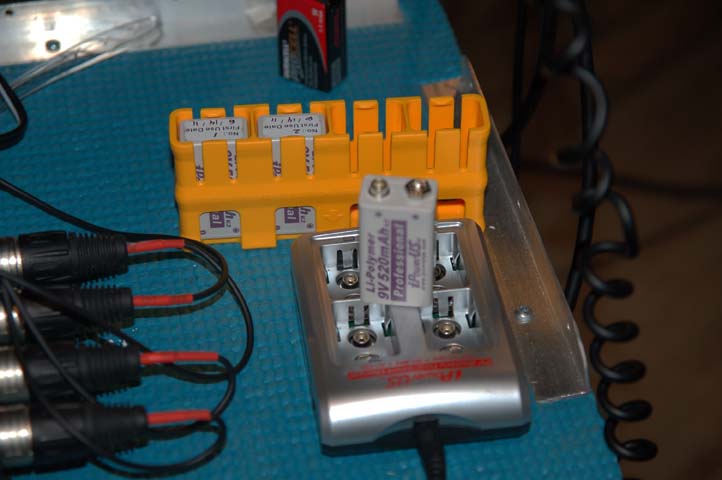
The iPowerUS Lithium-polymer 9v batteries and charger

Unfortunately, most rechargables do not have enough energy density to be very useful on the set. I’ve tried some 9v NiMH, and they would only last 2 hours in the same application.

There is another option that is available from Trew and other dealers. A company called iPowerUS makes a 520 mAh 9v Lithium-Polymer battery. I had heard about these before, but a DP I worked with recently (Roger Herr, shooting Infested for Animal Planet/Darlow Smithson UK) actually had a set and recommended them, so I finally broke down and invested in a set.

I’m pleased to report that these are working great for me. I can get nearly an entire day in my wireless units from a single charge… even a little more by switching the power off between takes, so I’m not constantly changing batteries. iPower says their batteries will get over 200 charge cycles from each battery, and Trew reports this to be accurate… and in some cases, 200 cycles is a conservative estimate.

The downside is the initial cost… these batteries are initially quite expensive at $23 each in sets of four. (About $30 each with a charger.) But if we do a little math, they are really dirt cheap:
iPower- appx $30 each/200 charges = 30/200 = .15 per use
Procells- appx $20/12 (case)= 1.66 per use

These batteries break even after you’ve used six cases of 9-volts. (Or if you prefer, after being recharged about eleven times.) For me, that’s around 9 or 10 shooting days. These make sense if all you consider is dollars and cents. But more than that, it saves me time and grief not having to order a couple of cases of batteries every time I turn around. They charge in about 45 minutes, and the iPower charger comes with a 12-volt option for car charging… really handy. About the only downside I can think of is they don’t have a AA-sized solution for my Sound Devices gear.

So while it was a momentary pain in the wallet at purchase time, I’m really glad I bit the bullet and bought these batteries. So far, they’re quick, dependable, work great, and save quite a bit of cash and hassle over time.


A New Bag Upgrade

I just completed a job in Nashville, and I did some shopping at Trew Audio. One of the things I was interested in was a long-overdue bag upgrade. This time I went with a Petrol bag… a small Deca Eargonizer. My friend John Billings (location sound, studio engineer and session musician in Nashville) bought one recently and likes his, so I brought one home.

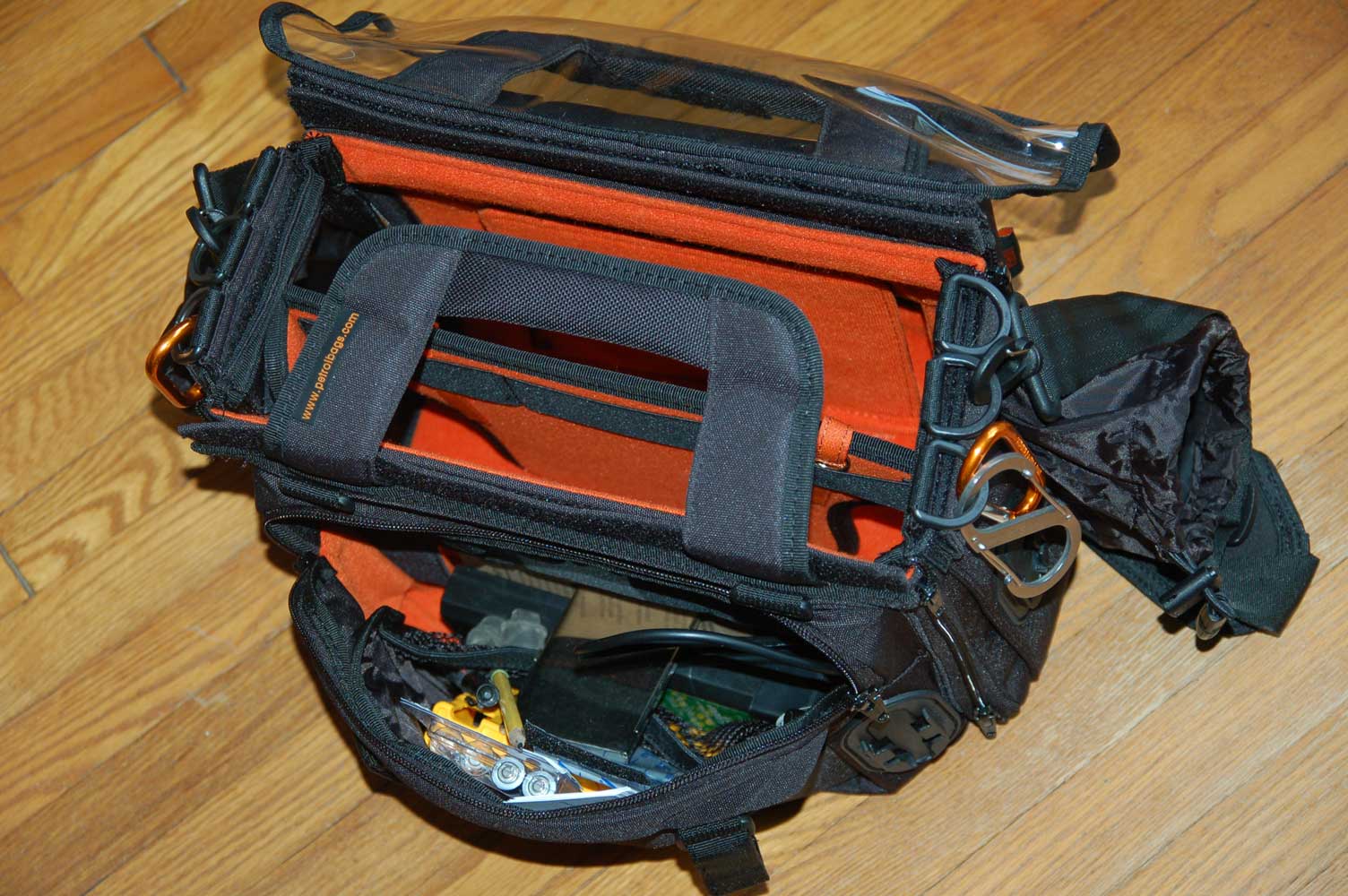
The Petrol small Eargonizer bag

The Petrol small Eargonizer bag

There are a number of things that I like about this bag, one of them is space. It’s a bit roomier than my old bag, which means it’s naturally a bit bulkier than before, but not by much. It’s “stiffer” as well, meaning that it’s made with semi-rigid sides. This means more protection for my mixer (though I never felt my gear was vulnerable with my old case). It also allows more flexibility with the configuration. Petrol includes little risers to lift gear up, which works because of the rigid sides.

Actually, Petrol includes a lot of little options and extras. Some will be indispensable for some folks, some will be unneeded for others… but it means I can configure the bag the way I want it, which is a big plus. One item that everyone will like is their wireless pouch… my bag came with a pair, and there are anchor points for two more, which I’ll be ordering directly.

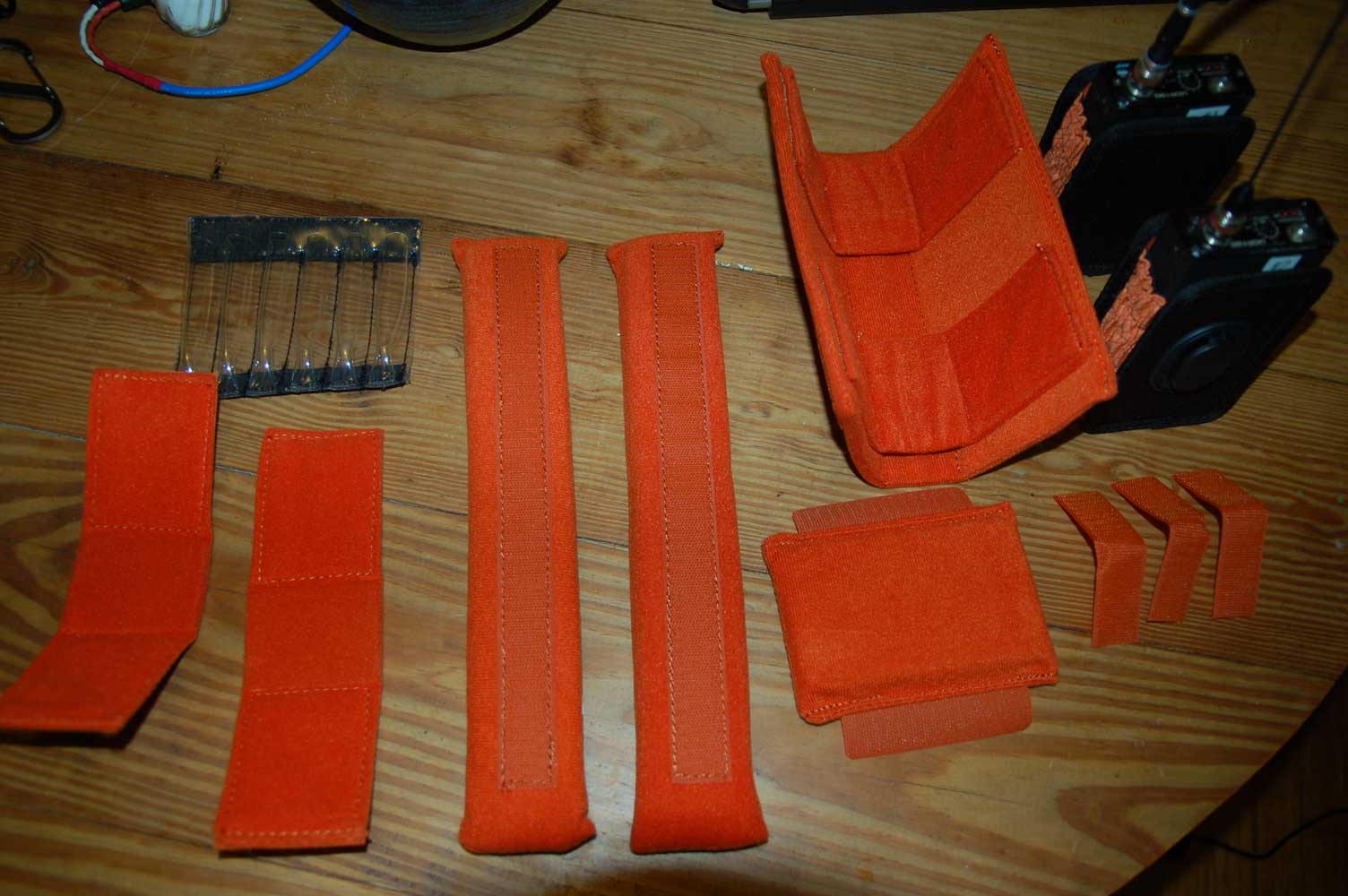
Petrol bags come with a number of risers, dividers, and pockets for custom tailoring the bag to suit various ways of working

Other details that are really handy:

  • Multiple anchor points for the strap, so the bag can be balanced
  • the clear vinyl window flap attaches with velcro on both sides, so it can be removed and stowed out of the way in clear weather.
  • Places to put sharpies and pens (though it doesn’t have a dedicated business card pocket, and I always like to have cards ready to hand out).
  • Cutouts on the inner divider for easier & neater cable routing.

Just to be fair, there are a few small details that I’d personally like to improve. I’d like some more padding on the strap, since I usually run a fairly heavy bag. And some method of attaching transmitters for Comteks or camera hops on the strap, up high and away from the mic receivers, would be cool. But my biggest irritation are connector covers. For some reason most bag manufacturers don’t make them removable, and they are always getting in my way when I need to make fast connection changes in the mixer. I never take my personal gear out in bad weather, since I can’t afford to replace it if it gets damaged, so the connector covers aren’t quite as big an issue as it is with, say, a news crew. At least Petrol makes their covers out of a lighter, more flexible material, but I’d like something that could either be removed or rolled completely out of the way.

The bag from the front. Its center divider can be removed if need be.

This isn’t to say that I don’t still like my Portabrace bag… for me, the Portabrace is better for my old Shure FP33, since its smaller & lighter. That’s my rig of choice when I need to be very mobile. (Portabrace doesn’t list the FP33 anymore on their website, but there should still be plenty of bags for them around.)

Overall, though, I think the Petrol is a great bag and I expect to get many years of work out of it. By listing my old bag (that wasn’t really that old at all) with Trew’s consignment program, the net cost of my upgrade was pretty small… a successful trip, I think.

Be Careful What You Ask For…

I received a call from Atlantic Television in NYC awhile back… nothing unusual, they were doing some advance work for a company in London, could I do the sound. I was free for most of their schedule, so sure, I’d be glad to help out. They told me this would be for National Geographic, but that it would be a small crew shooting a reality-style show. Nothing unusual there… but then things started happening to indicate this wouldn’t be the usual shoot. One of my students was hired as a location scout, and she was looking to build a set in a commercial space, and the number of shooting days started to climb… a lot…

I was skeptical that it would happen at all, but thanks to a number of fortunate events, the shoot was scheduled for Chattanooga (originally was going to be in Knoxville) and I was contracted to be the location mixer for not just a single show, but an entire series. I can’t disclose much… we’re shooting under a working title, which may yet change. But there will be eight initial episodes.

For our little production community here in Chattanooga, this is HUGE. We’ve never had this kind of opportunity here before, so for much of the crew, it’s a large block of work. Just speaking for myself, in three weeks I’ve already surpassed the number of shooting days for all of last year. I’m a little pooped, but any day that I can go to work is a good day.

My work area on the set. I've brought out nearly all of my gear for this shoot, and having the resources available has been handy.

And thanks to some less-than-satisfactory work by freelancers in other towns, I’ve been cleared to work on out-of-town shoots with the crew as well… their policy is to use local talent whenever possible to save money, but I’ve been given an opportunity for more work. It reinforces the idea that, as a soundperson, it’s important to be on your toes and make the extra effort whenever you can. The concept of “added value” applies well here. I do all I can to make myself as invaluable as possible on (and off) the set. Getting good, clean sound is, of course critical, but there’s always more that can be done on the set. Dressing cables, keeping detailed sound reports, making sure the talent has water, helping load, carrying cameras, helping change lenses… even sending emails suggesting good spots to eat around town… it’s all important and has helped me secure  some additional dates.

And there’s more to come. While most of the studio crew takes a break tomorrow, I’m heading out of town in the morning to shoot at Cirq in Atlanta, then the next day in Collegedale, then back in Chatt, then a date in Knoxville next week, with two more possible dates in between.

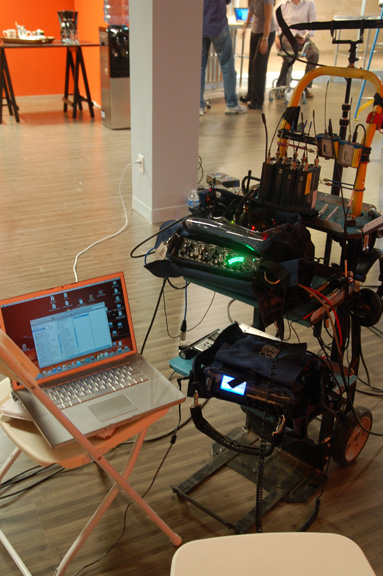
My cart rolled onto the set for taping. I'm using my Sound Devices 442 mixer paired with my Edirol R4Pro, which is serving as the master timecode source for two Sony F900 cameras. Here I'm set up for a wireless camera link, but we went to hardwires after the first day. The wireless worked fine, but since the cameras are connected via coax to the monitor cart, there wasn't any advantage

Frontline’s Football High

Here’s a digital postcard for Frontline’s Football High. I worked on  a segment of this show a few months ago… it airs April 12th. Produced by Ark Media in NYC for WGBH Boston and PBS. Field Producer Caitlin McNally, DP Sam Russell. The links in the image below are inactive, but you can watch a preview here.

Harrison Mixbus Print-Friendly Documentation

As I’ve mentioned before, I’m a big Mixbus fan. I don’t get many music mixing jobs, but when I do, I prefer to mix them on Mixbus, since it’s the closest thing to working in my old analog studio (On Line Audio in Charleston, SC) that I can afford. For me, it’s easier, sounds better, and is more fun than fooling with Protools.

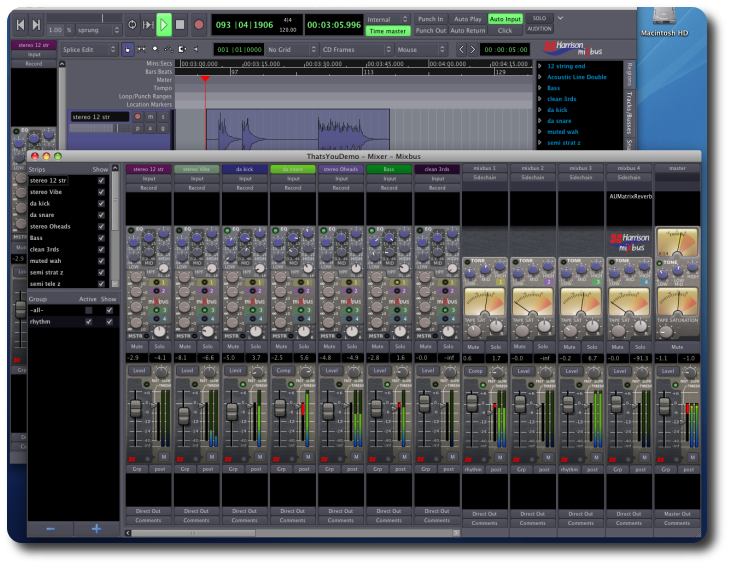
Harrison's Mixbus on OSX

But one of Mixbus’ downsides is that since it comes from the relatively small (though famous) console maker Harrison, there isn’t a huge marketing staff that can create a comprehensive print manual. There is an online manual for Ardour, the open-source engine on which Mixbus is based. It’s helpful, but it’s a PDF… which means to use it, you’ve got to have it up on a computer, and switching windows between Mixbus and Acrobat is a bit of a pain. I prefer a real book, open on my lap, with the computer running the program I’m trying to figure out.

After printing out the first few pages of the PDF, I learned this wouldn’t do at all… the document is loaded with full-page screenshots, and the on-screen formatting wastes reams of paper and gallons of ink. So, just for my own use, I re-formatted the document to be more printer-friendly by reducing the type size, adjusting the layout, and cropping and/or shrinking the screenshots down.

Then, just for grins, I added some Mixbus-specific sections and comments for those of us who are using the commercial version of Ardour (Mixbus) rather than the free open-source program (Ardour). The mix windows are very different between the two. Most of this information isn’t new… I rewrote it using the Mixbus quickstart document. And there are still plenty of things I’d like to do with the program that aren’t explained. (#1 on my list is how to print a track with only the output of a plugin… there’s gotta be a way, and it’s probably simple… but it isn’t obvious, at least not to my sucking-in-the-seventies brain.

I figured this might be helpful to other Mixbus users as well, so I’m making this document available free to Mixbus owners. Just send me an email to BGilbertSound at gmail dot com. Include your mixbus serial number. I’ll email you a copy of the PDF. Let me know if you have comments that need to be added, and hopefully the document will grow into a real manual.